
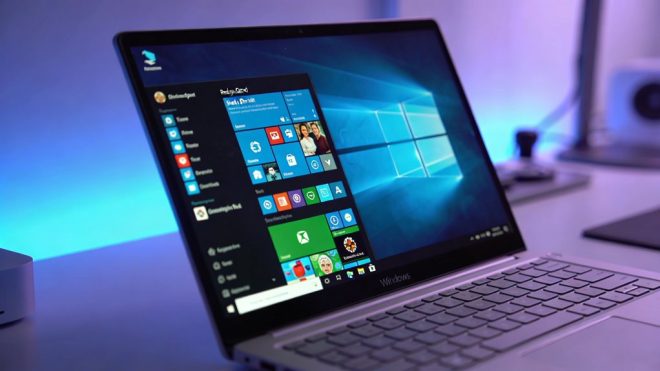
Microsoft is defending its bold Windows 11 Start menu overhaul, restructuring the interface into three distinct sections — Pinned, Recommended, and All Apps — ahead of its wider 2026 rollout. Developed over nearly a year using user feedback, the redesign auto-adapts to screen size and introduces category-based app grouping. Some customization remains locked behind guardrails, and disabling the Recommended section carries cascading consequences most users won't anticipate — details worth exploring further.
Microsoft has overhauled Windows 11's Start menu — one of the most quietly controversial corners of modern computing — rolling it out in waves beginning October 2025 for versions 24H2 and 25H2. Wider availability followed in early 2026, reaching devices gradually through standard Windows updates. For many users, the change arrived unannounced at boot, triggering immediate confusion. Was it a bug? A glitch? No. It was intentional, and Microsoft had been working on it for nearly a year.
The redesign splits the Start menu into three distinct sections: Pinned, Recommended, and All. That might sound familiar, but the execution marks a genuine departure. All apps now live at the top level — no extra clicks, no buried menus, no digital archaeology required. The Pinned section defaults to two rows but expands based on screen size, showing up to eight rows on larger displays and six on smaller ones. Each row holds up to eight apps. The menu adapts automatically to screen resolution, which means no manual resizing. Microsoft made that choice deliberately, and not everyone will love it.
The Recommended section surfaces recent files, applications, and promoted Microsoft Store apps. It defaults to on — a calm, personalised experience, Microsoft argues — but users can disable it entirely through Start settings. Worth noting: toggling it off also removes recent files from File Explorer and Jump Lists, which is the kind of cascading consequence that tends to catch people off guard.
All Apps gets the most dramatic rethinking. Category view is now the default, grouping applications under labels like Productivity or Developer Tools, evoking the phone home screen logic most people already understand. It's fundamentally iOS logic applied to Windows, and for better or worse, that metaphor is intentional. Grid and List views remain available, and the menu remembers whichever view was last selected. For anyone exhausted by scrolling through alphabetical lists of apps they installed in 2019 and never opened again, this is a genuine quality-of-life improvement.
Microsoft frames the overhaul as a response to real feedback. Users wanted quicker access and easier app discovery. The Feedback Hub said so. The company reportedly rejected dozens of more radical concepts before landing on this direction — lighter, warmer, more personal were the descriptors used internally. Whether that translates to a shared sense of "this feels right" among the broader Windows community remains to be seen.
Customisation options exist but stay within guardrails. Users can organise pins into groups, choose their preferred All Apps view, and disable Recommended entirely. Manual layout resizing is off the table. Microsoft isn't building a sandbox here — it's making a design decision and standing behind it. Users can also pin folders to Start — including Documents, Downloads, Music, Pictures, and Videos — placing them directly next to the power button for faster access via the Account area settings.
As rollout continues into 2026, the real verdict will come from the hundreds of millions who never asked for change but are getting it anyway. Users who want to get ahead of the gradual rollout can enable the new design early through ViVeTool, a third-party utility that unlocks features before they reach standard Windows Update.
Final Thoughts
Microsoft is rolling out a bold overhaul of Windows 11's Start Menu, representing a fundamental rethinking of how users interact with the operating system daily. The redesign aims to balance familiarity with modernisation, though its success will depend on how well it performs at scale across millions of devices.
If you're experiencing issues adapting to the new Windows 11 Start Menu changes, or if the update has caused disruptions to your home computer's performance, Home Computer Technician is here to help. Our experienced technicians can assist you with navigating Windows 11 updates, troubleshooting any problems that arise from the rollout, and ensuring your system runs smoothly following any Microsoft changes.
Don't let software updates slow you down. Click on our Contact Us page today to get in touch with a Home Computer Technician and get the expert support you need.